WebMCP for Ecommerce: AI Agents and Your Online Store
WebMCP lets AI agents interact with your online store through structured tools. Learn what it means for ecommerce and how to prepare.

TL;DR Summary
WebMCP is a new browser standard from the Google Chrome team that lets AI agents interact with your online store through structured tools instead of awkwardly clicking around your site. WebMCP, or Web Model Context Protocol, is an open-source project and proposed browser API developed by Google and Microsoft that enables websites to expose structured, executable functions to AI agents.
For Shopify and WooCommerce store owners, this means customers using AI assistants on an AI platform like ChatGPT or Gemini can search products, add items to cart, and complete checkout seamlessly on your behalf through WebMCP. The early preview launched in late 2025, and stores that prepare now will have a competitive advantage as AI-driven shopping grows through 2026.
Introduction
Picture a customer telling their AI assistant: “Find me running shoes under $50 from that store I bought from last month, apply any available discount, and checkout with my usual payment method.” With WebMCP, that entire shopping journey happens in seconds through direct communication channels between AI agents and your store—no confusing navigation or abandoned carts. WebMCP aims to be a standard protocol for exposing structured tools on websites, enabling AI agents to interact directly, reliably, and efficiently with web content.
This guide covers what WebMCP means for your product pages, shopping cart interactions, and customer experience. We’re focusing on practical implementation for store owners, not the technical backend development that web developers handle. If you run a small to medium ecommerce store on Shopify, WooCommerce, or similar platforms, this is written specifically for you. WebMCP is designed around cooperative, human-in-the-loop workflows, not unsupervised automation.
Here’s the direct answer: WebMCP enables AI agents to perform actions on your store—like searching products, filtering by size, and completing purchases—on the user's behalf by exposing structured tools that work with the same web interface your customers already use.
By the end of this guide, you’ll understand:
- How WebMCP differs from current AI chatbots and why it matters for sales
- Specific ways it reduces cart abandonment and improves conversion rates
- Step-by-step implementation approaches for Shopify and WooCommerce
- Which WebMCP tools to prioritize for your product pages
- What to do today to prepare your store for AI agent interactions
Understanding WebMCP for Ecommerce
WebMCP stands for Web Model Context Protocol—but forget the technical name. Think of it as giving AI assistants a clear instruction manual for your store instead of making them guess how to navigate your pages.
Right now, when someone asks an AI agent to help them shop, that agent has to look at your website like a confused tourist: reading text, clicking buttons, hoping things work. WebMCP changes this by providing structured interactions—explicit instructions telling AI systems exactly what actions are available and how to use them. WebMCP facilitates client-server communication between AI agents and ecommerce stores, enabling seamless data exchange and tool sharing.
For store owners, this matters because it transforms AI from a liability (potentially confusing customers or failing mid-purchase) into a sales asset that handles complex tasks like filtering products by multiple criteria and completing checkout without user interaction errors. By using structured API calls instead of traditional scraping, WebMCP reduces interaction errors and increases speed.
How AI Agents Interact to Shop Your Store
Today’s browser agents trying to shop your store face real problems. They analyze screenshots, guess where buttons are, and simulate mouse clicks through the browser UI. This works sometimes, but it’s unreliable—like asking someone to shop your store blindfolded. Autonomous assistants are typically implemented using large language model (LLM) based AI platforms that interact with users through text-based chat interfaces. Large language models are the foundational technology behind these agents.
Here’s what typically happens: A customer asks their AI assistant to “buy that blue sweater in medium from the store I mentioned.” The agent has to load your product page, visually identify the size dropdown, figure out which option is “medium,” find the color selector, locate the add-to-cart button, and hope nothing breaks along the way. If your site has dynamic interactions or pop-ups, the agent often fails completely.
This brittleness directly affects your revenue. When AI agents can’t complete purchases reliably, customers either give up or switch to competitors with easier checkout flows.
WebMCP’s Structured Approach
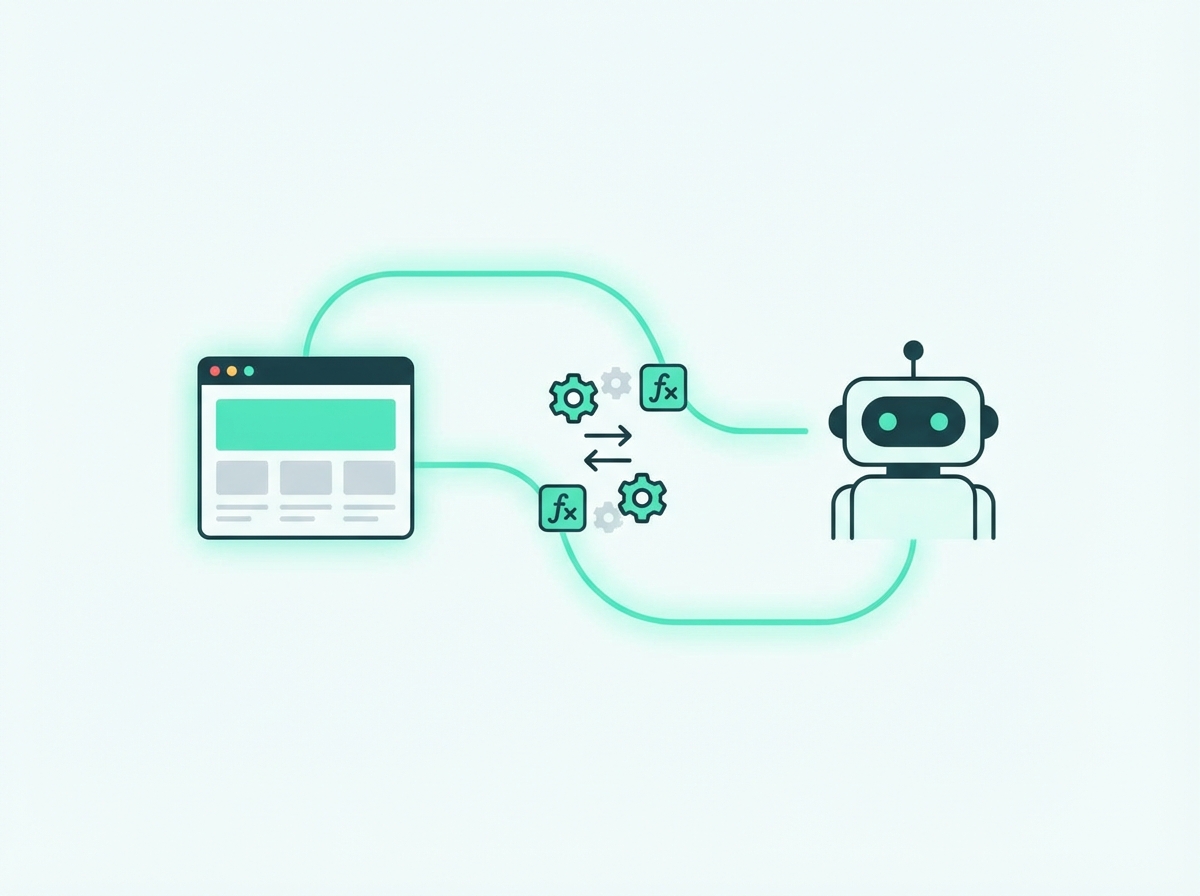
WebMCP works through something called a tool contract—essentially a catalog that tells AI agents exactly what they can do on your page and how to do it, exposing structured tools ensuring reliable and direct interaction between AI agents and your website. Instead of guessing, agents get a clear list: “Here’s how to search products, here’s how to add items to cart, here’s how to apply coupons.”
For your product pages, this might include structured tools like:
- searchProducts(query, category, priceRange) for navigating complex data in your inventory
- addToCart(productId, quantity, size, color) with specific input parameters
- applyDiscount(couponCode) for handling promotional offers
- checkout(paymentMethod, shippingAddress) for completing purchases
The key difference? These tools work by leveraging existing application logic—WebMCP utilizes the page's existing JavaScript code that already handles these functions for human customers, enhancing automation and reliability. WebMCP just makes that functionality accessible to AI agents through a new JavaScript interface, maintaining shared context between what the customer sees and what the agent does.
WebMCP tools are available to an agent only after the page has loaded, and these tools execute on the client.
WebMCP Architecture for Ecommerce
The WebMCP architecture is designed to make ecommerce websites truly agent-ready by exposing structured tools that AI agents can use to perform complex tasks on behalf of users. Instead of relying on brittle screen-scraping or simulated clicks, WebMCP empowers web developers to leverage existing application logic—your store’s current JavaScript functions and workflows—to create robust, JavaScript-based tools that AI agents can invoke directly.
This approach means that every action a customer might take—searching for products, filtering by attributes, adding items to the cart, or even submitting detailed customer support tickets—can be described in natural language and mapped to structured tools. These tools are defined with clear input parameters and expected outcomes, allowing AI agents to handle complex data and multi-step processes with speed, reliability, and precision.
For ecommerce stores, this architecture doesn’t require a complete rebuild. Instead, it works with your existing web applications, enabling you to implement new tools that expose your store’s core functionality to AI agents. Whether it’s advanced product searches, streamlined checkout flows, or automated support interactions, WebMCP ensures that AI agents can perform actions efficiently, reducing friction for both customers and store owners. By focusing on structured tools and leveraging your current application logic, WebMCP makes it possible for AI agents to handle even the most complex tasks seamlessly.
Browser and Agent Integration in Online Stores
A cornerstone of WebMCP’s impact on ecommerce is the seamless integration between browsers and AI agents. Through a new browser API, WebMCP establishes a direct communication channel that allows AI agents to interact with web pages in a structured, reliable way. This integration means that, instead of guessing how to fill out forms or navigate menus, AI agents can access structured tools exposed by web developers—enabling them to perform actions on behalf of users with far greater accuracy.
By building on the Model Context Protocol and existing protocols, WebMCP provides a standardized way for exposing structured tools that handle complex tasks. This allows AI agents to navigate complex data, complete transactions, and manage user input without the errors and unpredictability of traditional automation methods. The browser API acts as a bridge, ensuring that AI agents can interact with web pages using the same web interface as human users, but with the added benefit of structured schemas and clear tool contracts.
For online stores, this means AI agents can reliably perform everything from product searches to checkout, leveraging the same application logic and dynamic interactions your site already supports. The result is a more efficient, agent-ready ecommerce experience—one where AI agents can handle complex tasks, provide detailed customer support, and ensure that every user interaction is smooth and under user control. By enabling this level of integration, WebMCP sets the stage for robust agent workflows and a new era of collaborative, AI-powered shopping.
WebMCP Benefits for Online Stores
Moving from abstract concepts to your bottom line: WebMCP directly addresses the friction points that cost ecommerce stores money. Let’s look at specific benefits that matter for your revenue.
Faster Product Discovery
When AI agents can query your product catalog with structured data rather than scrolling through pages, customers find what they want faster. Speed, reliability, and precision in product discovery directly impact whether someone buys or bounces.
Consider a clothing store: Instead of an AI agent navigating through menu clicks—Women → Dresses → Summer → Size M → Under $75—it can make a single structured request covering all criteria. This handles complex tasks that would take a human customer minutes in just seconds.
For electronics stores, this means AI agents can filter by specific technical specifications. For home goods, it enables queries like “blue accent pillows that match this color code” with exact results. The natural language interface customers use translates into precise queries your store can actually fulfill.
Reduced Cart Abandonment
Cart abandonment rates average 69.8% across ecommerce—and checkout friction is a leading cause. WebMCP addresses this by enabling agents to handle checkout complexity on the user’s behalf.
Consider what typically causes abandonment: creating accounts, entering shipping addresses, inputting payment details, finding coupon codes. With WebMCP, an AI agent can perform actions like auto-filling saved payment methods, applying available discounts, and completing purchases without the customer re-entering information they’ve provided before.
For a typical store losing $10,000 monthly to abandoned carts, even a 15% recovery through smoother AI-assisted checkout represents $1,500 in recaptured revenue.
Enhanced Customer Support
Beyond purchases, WebMCP enables collaborative workflows where AI agents handle routine customer queries through structured interactions with your store’s data.
Examples that reduce support costs:
- Order status checks: AI agents query order tracking directly rather than navigating account pages
- Return initiation: Structured tools guide the return process step-by-step
- Product recommendations: Agents access your catalog with detailed customer support tickets worth of context about what the customer wants
This means fewer support emails, faster response times, and AI systems that can actually help customers instead of just pointing them to FAQ pages. WebMCP enables collaborative workflows between your existing support tools and AI assistants customers already use.
Implementation for Ecommerce Platforms
Here’s where things get practical. The agentic web is coming, but you don’t need to rebuild your store from scratch. WebMCP works by making your existing web application functionality accessible through a new browser API—building on what you already have.
Shopify Store Implementation
Shopify’s app ecosystem makes WebMCP implementation more approachable than building from scratch. Here’s your 4-step starting process:
- Audit your product pages: Identify which actions customers take most—filtering, variant selection, cart addition, wishlist saving. These become your priority tools.
- Check Shopify app marketplace: As WebMCP matures through 2026, expect apps that provide JavaScript based tools without custom coding. Early preview options are emerging now.
- Implement core tools first: Focus on product search, category filtering, add-to-cart with variants (size, color), and checkout assistance. These handle 80% of AI agent interactions.
- Test with AI agents: Use Chrome’s preview features to verify your tools work. Try natural language commands like “add the medium blue version to cart” and confirm the declarative API responds correctly.
For Shopify specifically, tools defined in your theme.liquid template can expose structured tools ensuring AI agents interact with your store correctly. Start with particular shopping options like size and color selection—these are where agents typically struggle without structured guidance.
WooCommerce Store Setup
WooCommerce requires slightly more hands-on setup since you’re working with WordPress’s plugin architecture. Here’s the adapted process:
- Assess your current plugins: Check if your existing cart, checkout, and product filtering plugins will support WebMCP tool integration—many will add this through updates.
- Prepare your functions.php: Basic WebMCP implementation requires JavaScript execution hooks that WordPress handles through standard enqueueing. You’ll add a client side script that registers your tools.
- Define essential tools: Map your WooCommerce endpoints (product queries, cart management, checkout) to WebMCP tool contracts. The imperative API handles dynamic interactions your store might require.
- Test thoroughly: WooCommerce’s flexibility means more variation in how tools behave. Verify each tool with actual AI agent queries before going live.
WooCommerce developers can find sample code in Google’s WebMCP documentation specifically for web applications built on WordPress.
Essential Structured Tools for WebMCP Ecommerce
Here’s what to implement and when, based on impact and complexity:
Tool Type
Function
Priority Level
Why It Matters Product Search Query catalog with filters High - Implement First Foundation for all AI shopping Category Navigation Browse structured categories High - Implement First Enables natural language descriptions like “show me kitchen items” Add to Cart Add items with variants High - Implement First Core purchase action Variant Selection Size, color, quantity options High - Implement First Where agents fail most without structure Cart Management View, edit, remove items Medium - Phase 2 Supports order modifications Checkout Assistance Complete purchase flow Medium - Phase 2 May require javascript execution for payment and dynamic interactions Customer Account Order history, saved addresses Lower - Phase 3 Valuable but less urgent Wishlist/Save Save for later functionality Lower - Phase 3 Nice-to-have for returning customers
Focus on the high-priority tools first. A store with working product search and add-to-cart tools is agent ready for most shopping scenarios.
Common Challenges and Solutions
Implementing new technology always brings questions. Here’s what store owners typically worry about and practical solutions. WebMCP also supports assistive technologies, enabling AI agents and accessibility tools to interact with web applications and enhance collaborative workflows.
Technical Complexity Concerns
The worry: “I’m not a developer. This sounds like it needs coding skills I don’t have.”
The solution: You don’t need to implement tools yourself. As WebMCP adoption grows, Shopify apps and WooCommerce plugins will handle the technical details automatically. For now, your action is awareness and preparation—understanding what’s coming so you can evaluate solutions as they appear. Tools like ListingScrub can audit your product pages to identify what structured data already exists and what gaps to address.
If you do have developer resources, the implementation leverages existing application logic—your current JavaScript functions—rather than building new systems. André Cipriani Bandarra and the Google team designed WebMCP specifically for code reuse.
Budget and ROI Questions
The worry: “Is this worth investing in for a small store?”
The solution: Start with zero-cost preparation. Audit your product pages for agent-friendliness: Can an AI easily identify your product variants? Is your pricing clear? Are your html forms well-structured? These improvements help both human customers and AI agents.
For ROI calculation: If abandoned carts cost you $500/month and AI-assisted checkout recovers 15%, that’s $75/month. Multiply by the percentage of customers who’ll use AI agents (projected 15-20% by 2028), and factor in competitive advantage from being early. Most stores find the math works even with conservative estimates.
Integration with Existing Tools
The worry: “Will this break my current analytics, marketing pixels, or customer service platforms?”
The solution: WebMCP operates alongside your existing protocols and tools, not instead of them. The robust agent workflows use your current web pages and their functionality—they don’t bypass your tracking or replace your systems.
Your analytics will still see page visits and conversions. Your marketing tools still work. Customer service platforms integrate normally. WebMCP adds an additional channel for AI agent interactions without disrupting what you’ve already built.
Conclusion and Next Steps
WebMCP represents a genuine shift in how customers will shop online. By exposing structured tools through a standard browser interface, your store becomes accessible to AI assistants that handle complex tasks like multi-step product searches and complete checkouts. WebMCP enables more reliable and performant agent workflows compared to previous automation methods, serving as a bridge that makes websites 'agent-ready' and improves the efficiency of structured interactions for browser agents. For Shopify and WooCommerce owners, this means potential improvements in conversion rates, reduced cart abandonment, and a meaningful competitive advantage as AI-driven shopping grows.
What to do today:
- Audit your product pages for AI-friendliness—can an agent easily identify product names, prices, variants, and availability?
- Ensure your structured data (product schema, pricing, inventory) is current and accurate
- Review your checkout flow for friction points that would confuse AI agents
- Monitor Shopify app or WooCommerce plugin updates for WebMCP compatibility
- Test your site with AI assistants (ChatGPT, Gemini) to see where they struggle
Watch for Chrome’s broader WebMCP rollout through 2026 and expect platform-specific implementation tools to mature rapidly. Early adopters in this space consistently gain advantages—ensuring AI agents can shop your store smoothly positions you ahead of competitors still relying on text based chat interfaces that can’t complete transactions.
Frequently Asked Questions
How much does WebMCP implementation cost for a small ecommerce store?
Currently, basic preparation costs nothing—it’s about ensuring your product data is structured and accessible. As dedicated Shopify apps and WooCommerce plugins emerge through 2026, expect pricing similar to other specialized ecommerce tools ($20-100/month range). Custom development costs more but isn’t necessary for most stores using standard platforms.
When will WebMCP actually matter for my sales?
AI agents are projected to drive 15-20% of ecommerce transactions by 2028, with 2026 as the tipping point for adoption. Early preview features are available now in Chrome. Preparing today means you’re ready when mainstream adoption hits—stores optimized early report 30%+ increases in AI-referred traffic.
Do I need to change my website for this to work?
Not fundamentally. WebMCP works by leveraging existing application logic—your current add-to-cart functions, checkout process, and product displays. You’re making these existing capabilities discoverable to AI agents rather than rebuilding your site. The same web interface serves both human customers and AI agents.
Is WebMCP safe for my customers’ payment information?
Yes. WebMCP maintains user control throughout—AI agents can only perform actions the customer authorizes, and payment processing still flows through your existing secure checkout. The user interaction model requires explicit permission for sensitive actions. This isn’t about bypassing security; it’s about making authorized actions easier.
Will this work if my customers don’t use AI assistants?
Absolutely. WebMCP adds AI agent interactions as an additional channel—it doesn’t replace normal shopping. Customers who browse directly still use your site exactly as before. You’re expanding how people can shop with you, not limiting it.
Does this work with Shopify Plus or WooCommerce enterprise features?
Yes. Enterprise tiers typically offer more flexibility for implementing tools and customizing the tool contract for specific business needs. Larger stores can define more sophisticated agent workflows while smaller stores focus on core functionality.
How do I know if my product pages are ready for AI agents?
Scan your product pages to identify gaps in structured data, unclear variant options, or checkout friction that would confuse AI agents. Tools like ListingScrub analyze your product pages specifically for AI-readiness, showing you exactly what to fix for both better search visibility and WebMCP compatibility.
Related reading: WebMCP for Shopify · AEO for Ecommerce · how AI shopping assistants choose products
Want to see how your product pages score for AI readiness? Scan your page free →
Ready to optimize your product pages?
Scan your listings for SEO and AI readiness issues in 30 seconds.
Run Free Scan